Completion probability
A daily scan compares actual velocity to required velocity and scores every active sprint 0–100 with green, yellow, or red risk levels.
Jira sprint risk monitoring
SprintSight scans every active sprint daily, calculates completion probability from live velocity, and posts AI risk summaries with concrete actions — before the sprint slips.
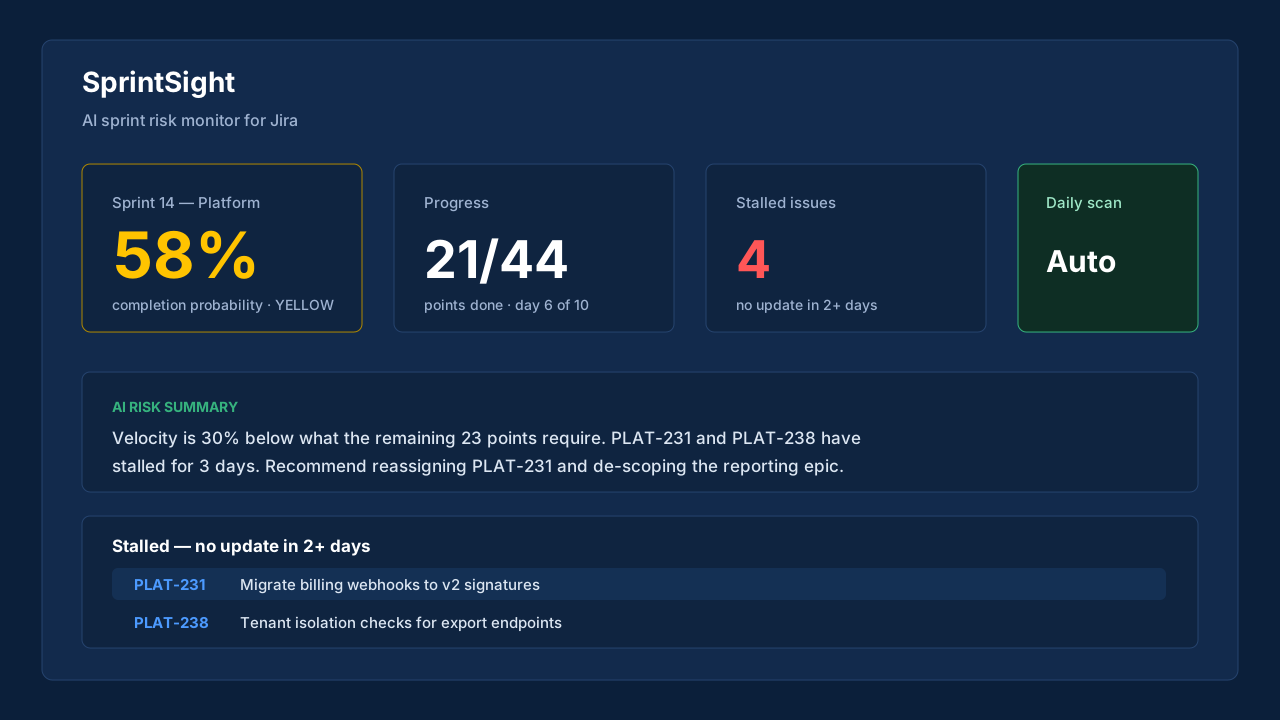
Problem to solution
A daily scan compares actual velocity to required velocity and scores every active sprint 0–100 with green, yellow, or red risk levels.
When a sprint turns yellow or red, SprintSight writes a plain-English summary naming stalled issues and recommending 1–2 concrete actions.
Risk alerts arrive as labeled issues in your project — no new tool, no separate inbox, no configuration.
How it works
The core workflow is intentionally short. If setup needs a consultant, the product has already failed.
Pricing
All pricing is published. Marketplace billing handles subscription changes and cancellation.
SprintSight
$0 /month
Risk monitoring for one sprint.
SprintSight
$3 /user/month
Full monitoring for the whole team.
SprintSight
$5 /user/month
Deeper history and priority support.
FAQ
SprintSight compares your sprint's actual velocity (points completed per elapsed day) against the velocity required to finish the remaining work by the sprint end date.
Sprint snapshots are stored in Atlassian Forge storage inside Atlassian's infrastructure. Aggregated sprint metrics are sent to Anthropic's API only to generate risk summaries, and are not used for model training.
SprintSight is built for Jira Software sprints on scrum boards. JSM queues are not supported.
Atlassian Marketplace